
Skip to content
ساختمان شیشه‌ای نمایندگی خودرو زیر آسمان آبی

REPERO
the complete system for car dealerships

From after-sales reception, parts stock and accounting to sales, the loyalty club and vehicle import — all in one system.
Scroll to explore
میزکار سامانه ریپرو با آمار پذیرش، تقویم و نمودار

REPERO at a glance

One system for the whole dealership — from reception to vehicle import

15clearance steps tracked per chassis
46items in the PDI checklist
16questions in the customer survey
14+reports with Excel export and print

Everything to
run a dealership

Every module has its own permission, so each user sees only what they should.

Reception and after-sales

Reception number, printed form, mileage, the person delivering the car, service type (periodic, regular, contractual), insurance and attached documents.

Labour and technicians

Labour entries with start and end times and automatic profit split between technician and assistant.

Workshop and quality control

Road test, temporary exit, QC approval and a final check before settlement.

Parts warehouse

Product groups and brands, purchase invoices, direct sales, reorder points and stocktaking.

Sales and test drives

Prospects, negotiation log, test drive, contract and follow-up through to purchase or withdrawal.

Accounting and settlement

Multiple payment methods, VAT, parts warranty and a printed invoice with the amount in words.

Loyalty club

Points earned on each settlement, redeemed in service and sales, plus manual and bulk adjustments.

Satisfaction survey

A 16-question survey after delivery, follow-up of unhappy customers and satisfaction charts.

Letters, tasks and messages

Incoming and outgoing letters, inbox and referral, recurring task reminders, internal messages and SMS.

Inside the system

A clean interface for fast work

Day and night themes, mobile and tablet friendly, and every page does one job well.

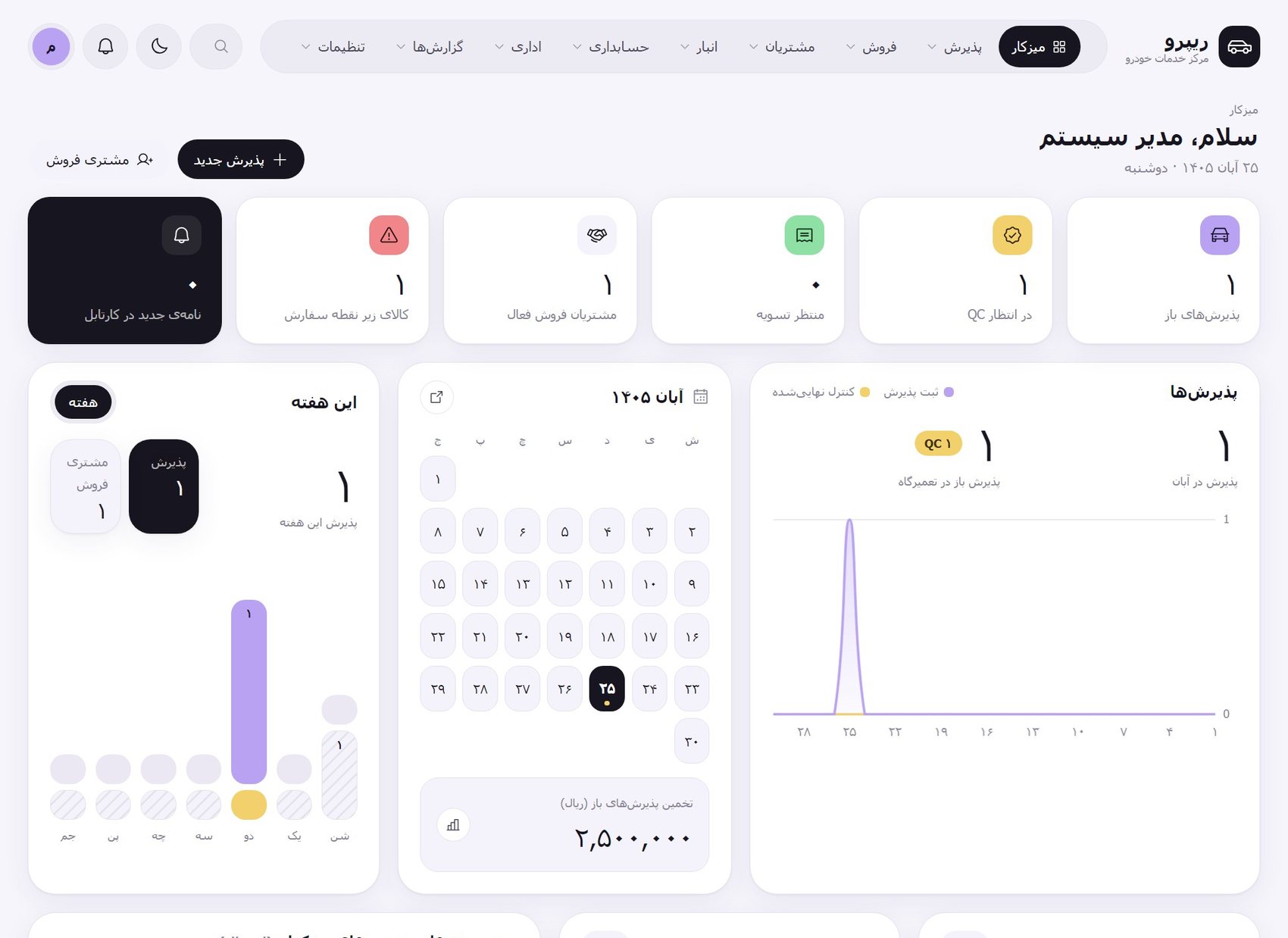
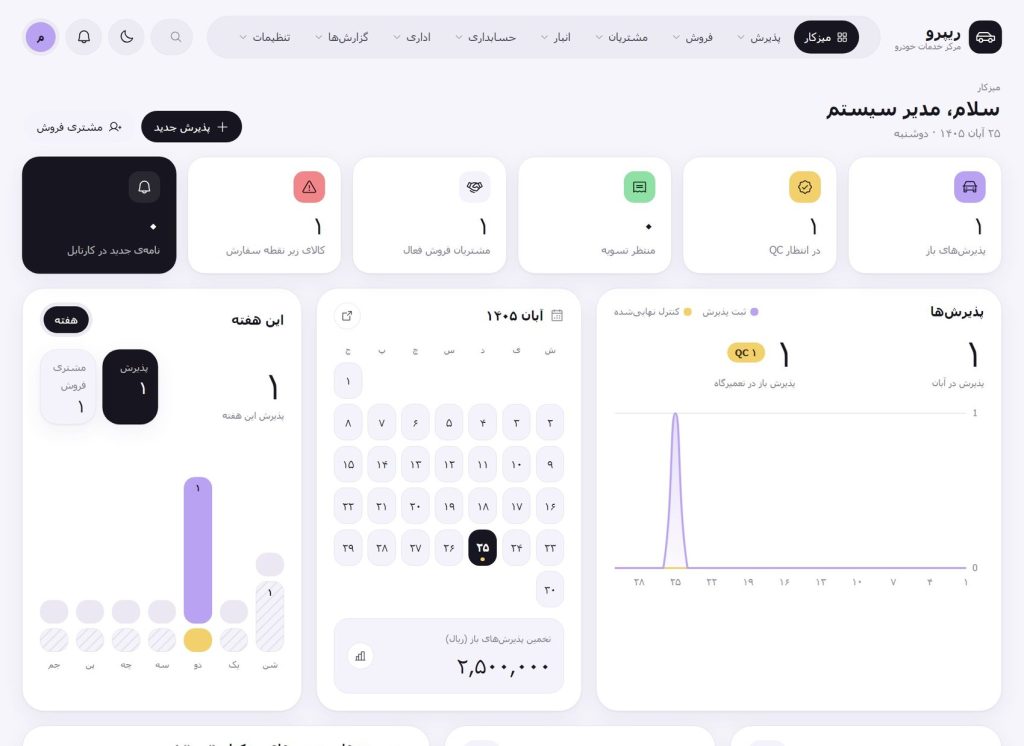
Management dashboard

See at a glance what is happening today.

  • Open receptions, vehicles waiting for QC and for settlement
  • Stock below reorder point and new inbox letters
  • Calendar, monthly chart and brand share
  • Today’s tasks and overdue surveys
REPERO dashboard

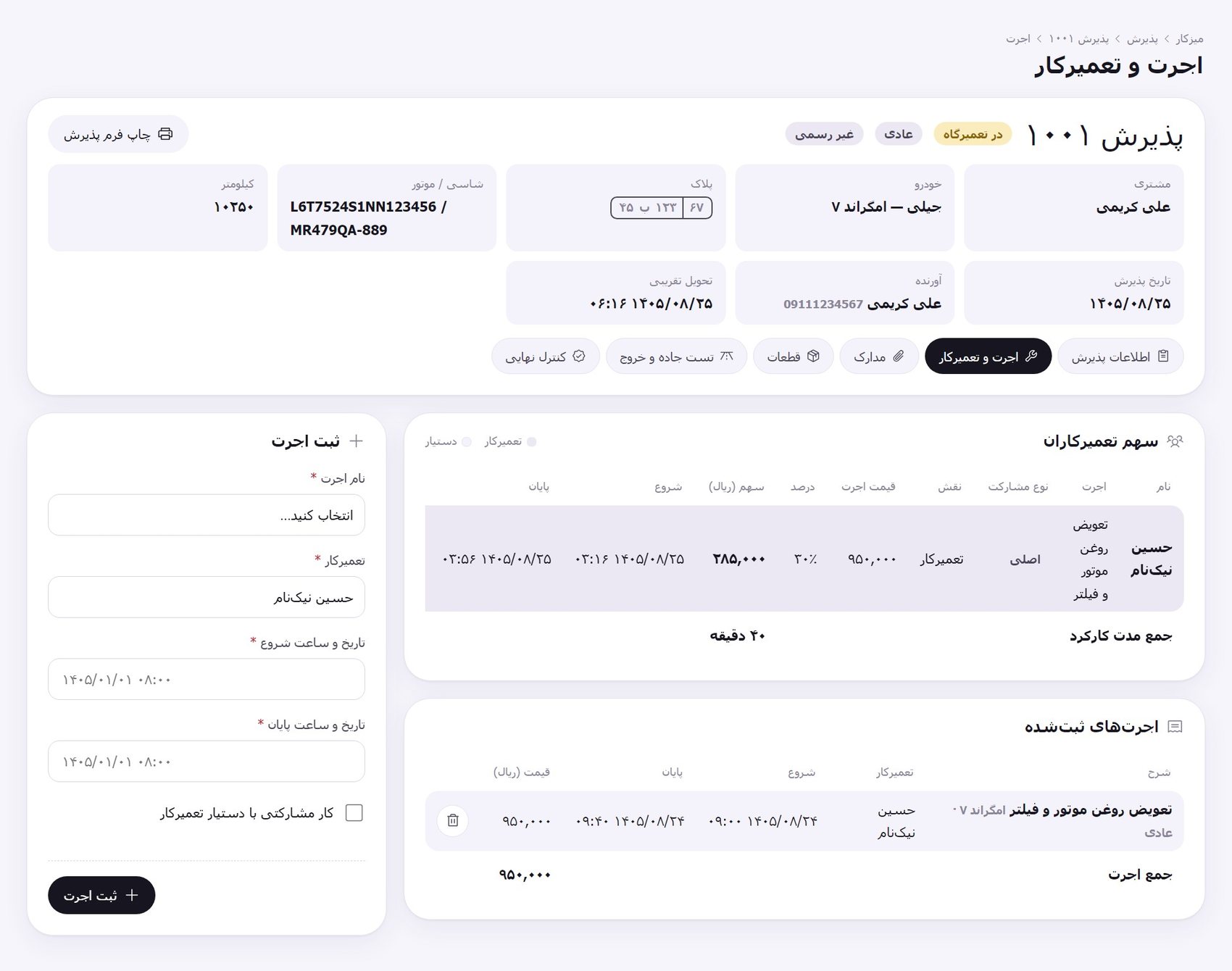
Labour and technician share

The reception steps sit at the top of every page, one click apart.

  • Labour with start and end times
  • Lead technician and assistant with share percentages
  • Total working time and labour total
  • Printed reception form
Labour and technician page

From reception to settlement

The path of a car through the
workshop

  • Reception: vehicle details, mileage and the person delivering it
  • Labour entries and assigning technician and assistant
  • Parts issued from stock against the same reception
  • Workshop: road test, temporary exit and QC approval
  • Final control and hand-over to accounting
  • Settlement with payment methods, VAT and warranty
  • Loyalty points and the printed invoice
  • Satisfaction survey and customer follow-up

Optional module

Equipped with a
vehicle-import module

If your dealership imports vehicles, REPERO stays with you from the moment a chassis is registered to the day it is handed over: vehicle catalogue, clearance steps, costs and landed cost, warehouse entry and PDI, kardex, contracts and reports.

The module is switched on in settings, and access to it — and separately to costs — is granted per user, so the sales team sees stock and cars in transit but never the landed cost.

Vehicle import

A look at the import module

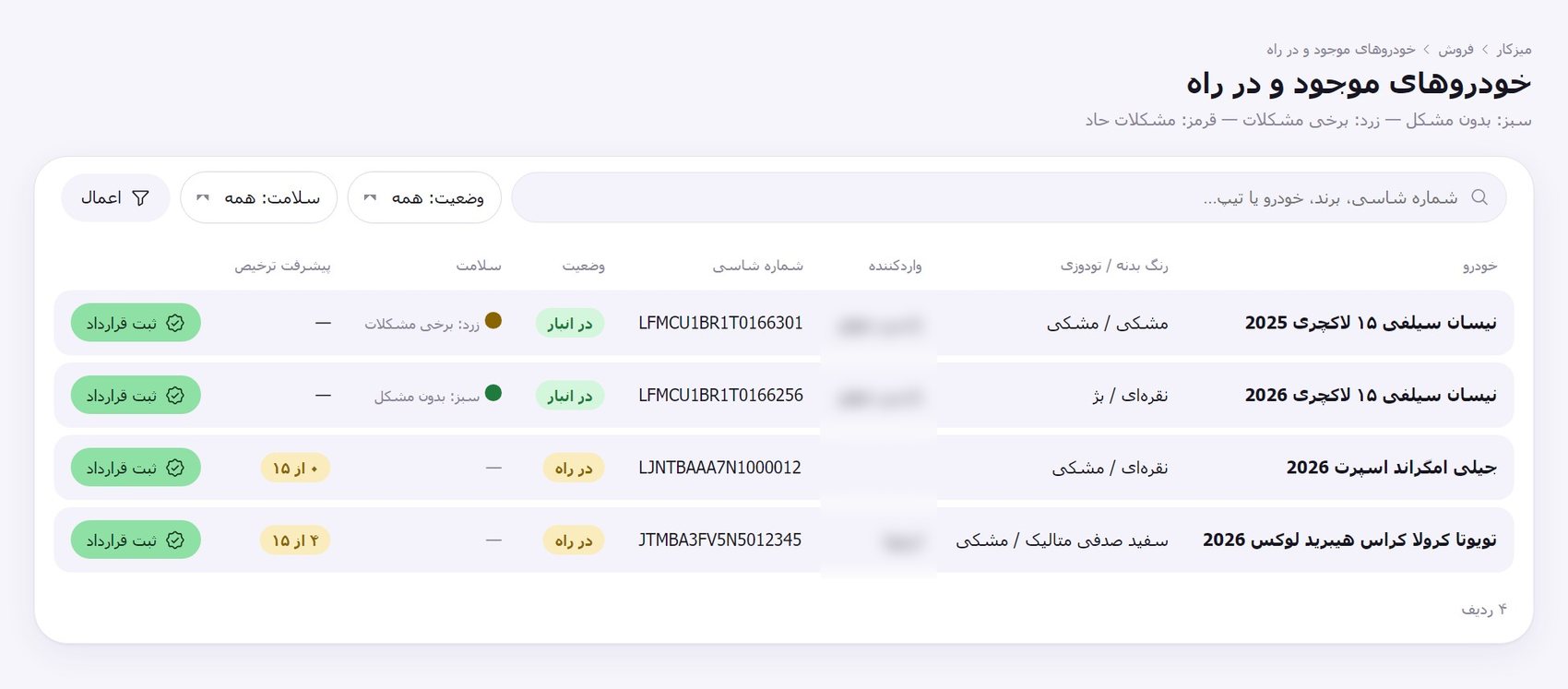
Vehicles in stock and in transit

Sales sees stock and pre-sale cars without any cost data and registers contracts from the same list.

  • Search by chassis, brand, model or trim
  • Status: in transit, in stock, sold
  • Vehicle health as green, yellow or red
  • Clearance progress for every chassis
Vehicles in stock and in transit

Warehouse entry and PDI

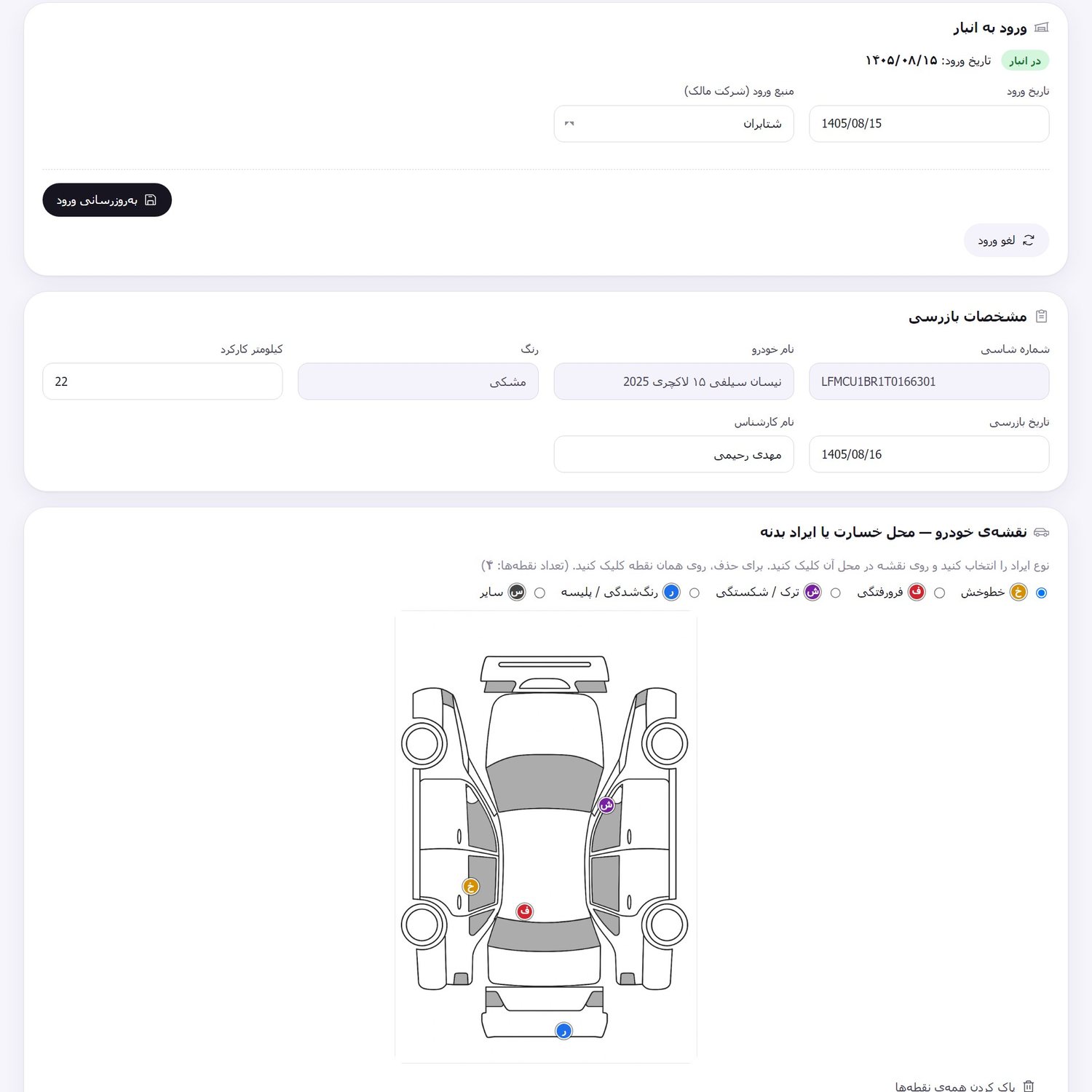
A pre-delivery inspection with a clickable car map to mark the exact place of any damage.

  • A configurable 46-item checklist
  • Five damage types on the map: scratch, dent, crack, repaint and other
  • Green, yellow or red health with a system suggestion
  • Printable PDI form
PDI form with damage map

Costs and landed cost

Record each cost in dollars or rials with its document; the landed cost of each chassis adds up automatically.

  • You enter the dollar rate yourself and it becomes the reference
  • Dollar and rial equivalents at the rate of that date
  • Manageable cost types
  • Separate permission: only authorised users see costs
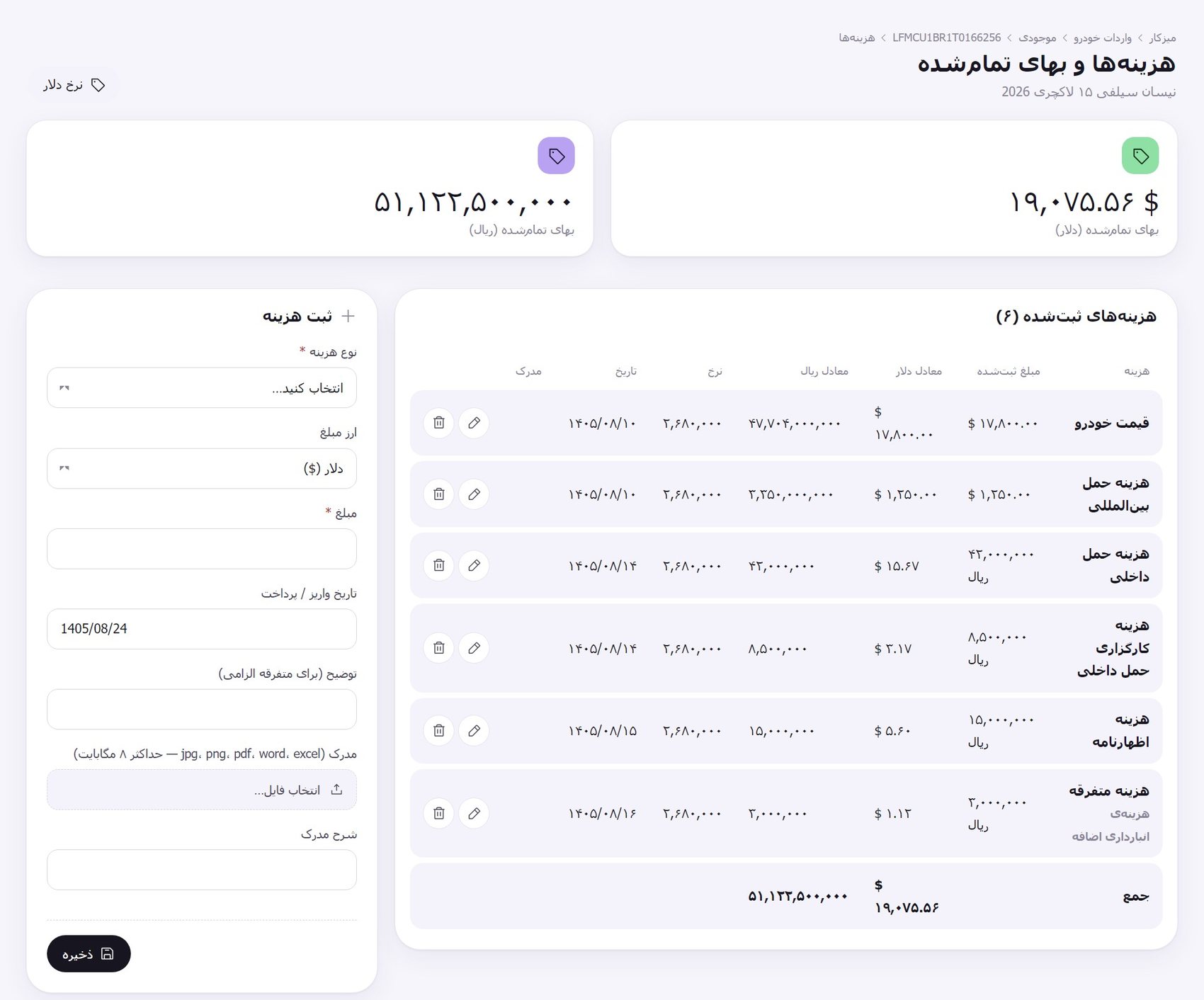
Costs and landed cost

Reports and alerts

Know every morning what needs chasing.

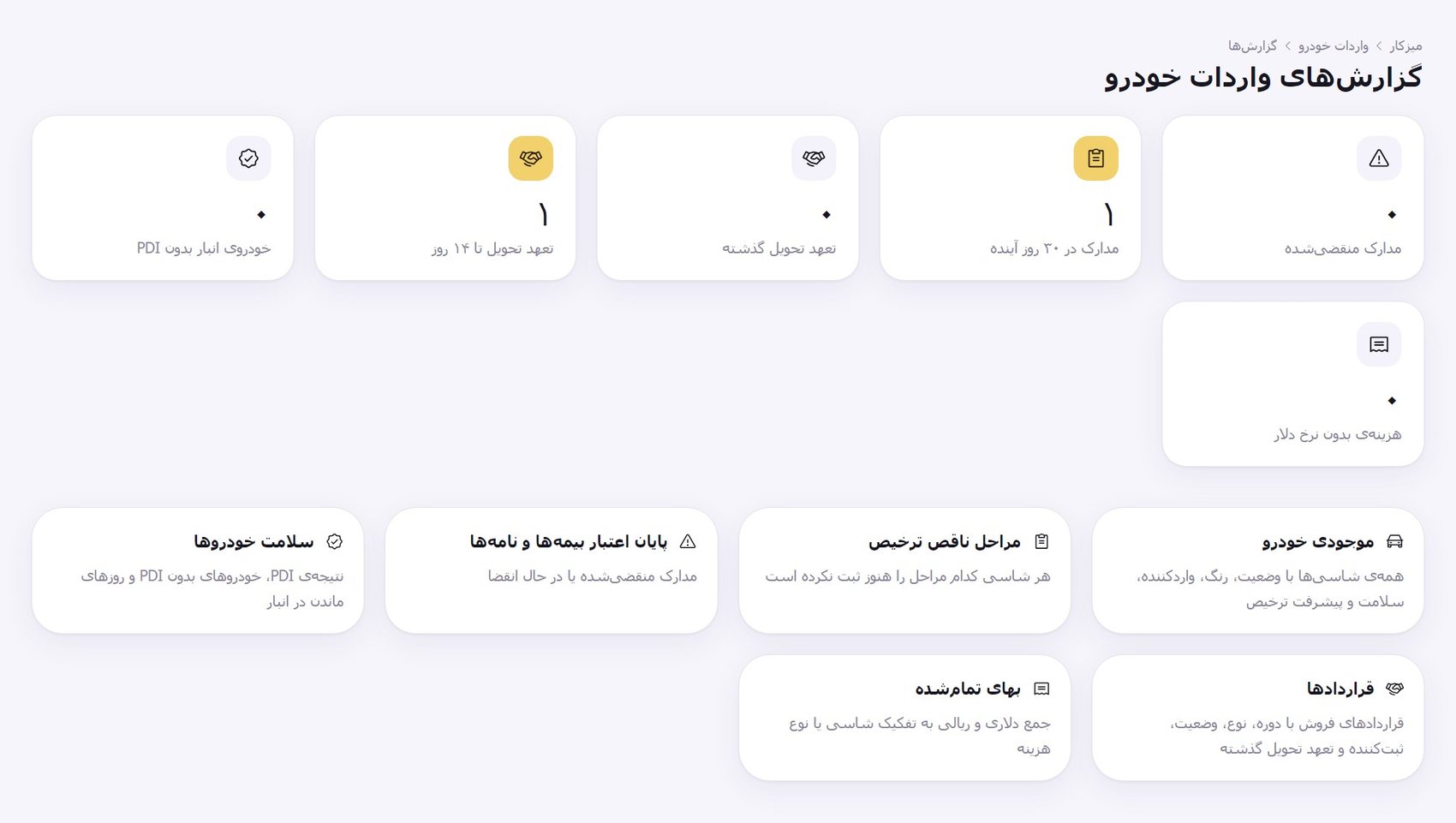
  • Expired or soon-to-expire documents
  • Overdue and upcoming delivery commitments
  • Stock without PDI and costs without a dollar rate
  • Excel export for every report
Import reports

What the
import module does

Every step from catalogue to handover in one chain, with no re-keying.

Vehicle catalogue

Brand, model, trim with model year, body and interior colours, fuel and country of origin — with bulk import from Excel.

Importers and suppliers

Each company can be importer, supplier, owner or carrier and is linked to brands.

Chassis card and clearance

A unique 17-character chassis number and 15 clearance steps that turn green once a number, company or document is recorded.

Kardex and print

Sale document and invoice per chassis in two prints: the traffic-police inspection copy and the full copy with the amount in words.

Dollar rate and landed cost

Costs in dollars or rials, conversion at the recorded rate and the landed cost of each chassis.

Warehouse entry and PDI

Single or bulk entry, an inspection with a damage map and a green, yellow or red health status.

Pre-sales and cars in transit

Sell chassis that have not arrived yet and deliver after entry, with a delivery commitment.

Vehicle contracts

Configurable templates with 39 variables, contracts created from a negotiation or from stock, chassis allocation, delivery and adding the car to the customer file.

Why
REPERO?

Deployment led by a
25-year specialist

A good system only pays off when it fits your dealership. That is why we never hand REPERO’s rollout to a generic team: a specialist with 25 years of experience in this very field stands beside you from day one.

First they study and assess your operation up close: how you work, which modules you need and what has to be tailored. Then they manage the entire deployment from start to finish, so you are never stuck in technical detail.

25+years of experience in this field

Deployment steps

From assessment to
a full go-live

  • On-site assessment of your operation and a precise understanding of your needs
  • Choosing modules, permissions and settings to suit the dealership
  • Entering the base data together with you
  • Training each department’s users according to their role
  • Go-live and hands-on support through the first days
  • Ongoing support and improvement after deployment

REPERO
FAQ

Dealerships and automotive groups with after-sales service, parts stock, vehicle sales and a loyalty programme. If you also import vehicles, we enable the import module.

No. It is optional and enabled only when you need it. Without it REPERO is a complete dealership management system.

No. Cost access is separate and by default only the system manager has it; sales staff only see stock and cars in transit.

You enter the rate yourself; the latest rate recorded on or before each cost date is used, and the rate applied stays on that cost.

Yes. Logo, settings, contract templates, document signers and custom reports are configured per dealership.

Request a demo. We review your dealership’s needs, set the system up, help enter the base data and train your users.

خودروی کلاسیک کنار جاده

Run your dealership
with REPERO

Contact us for a demo and a review of your dealership’s needs.